# Migration 🆕
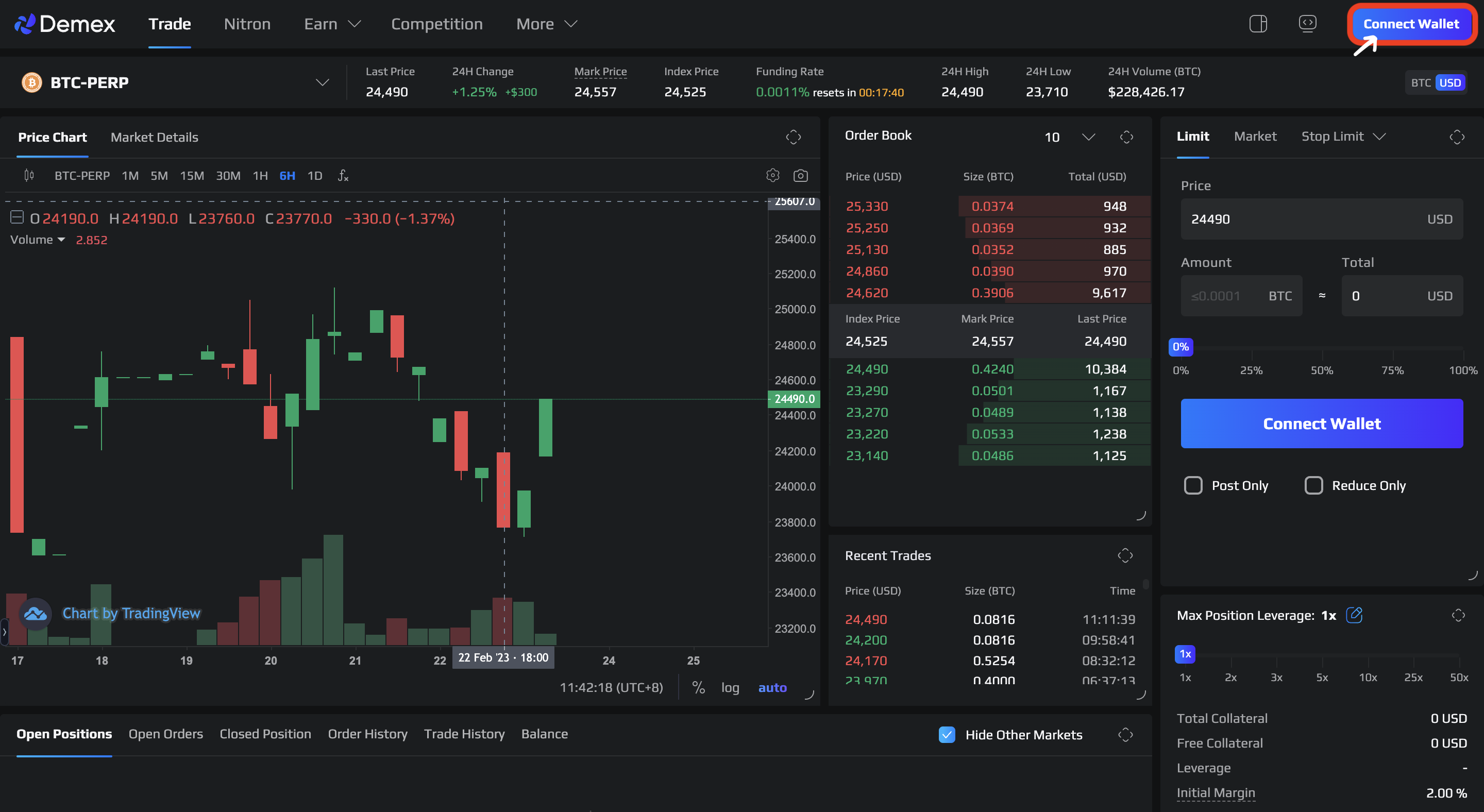
**Step 1**: Navigate to the [Demex website](https://app.dem.exchange/) and click on the 'Connect Wallet' button located at the far-right corner.
**Step 2:** Select the 'MetaMask' option located second from the bottom among the available Wallet choices.
Click on the 'Connect' button.
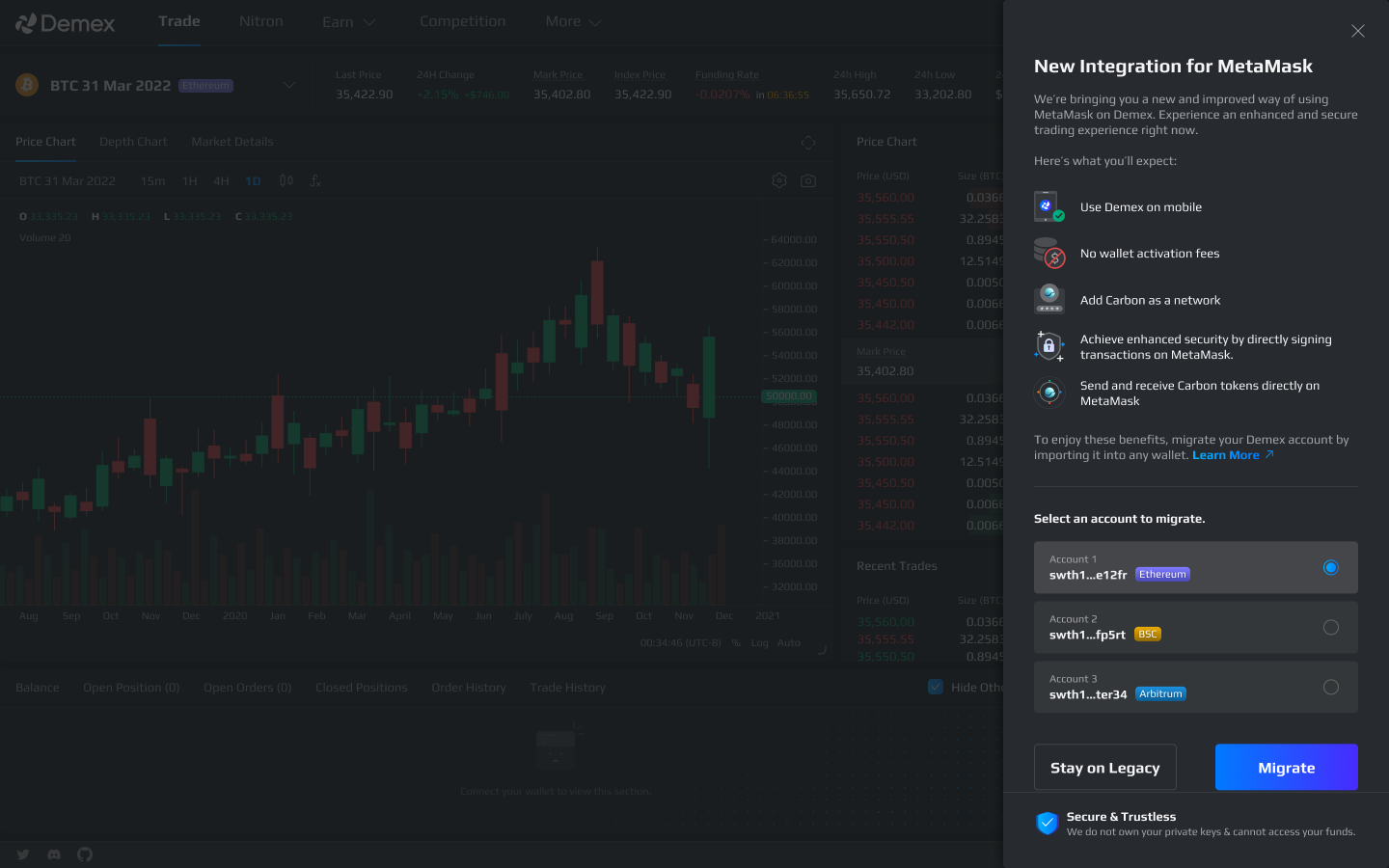
**Step 3**: Legacy account detected.
To initiate the migration process, click on the 'Migrate' button.
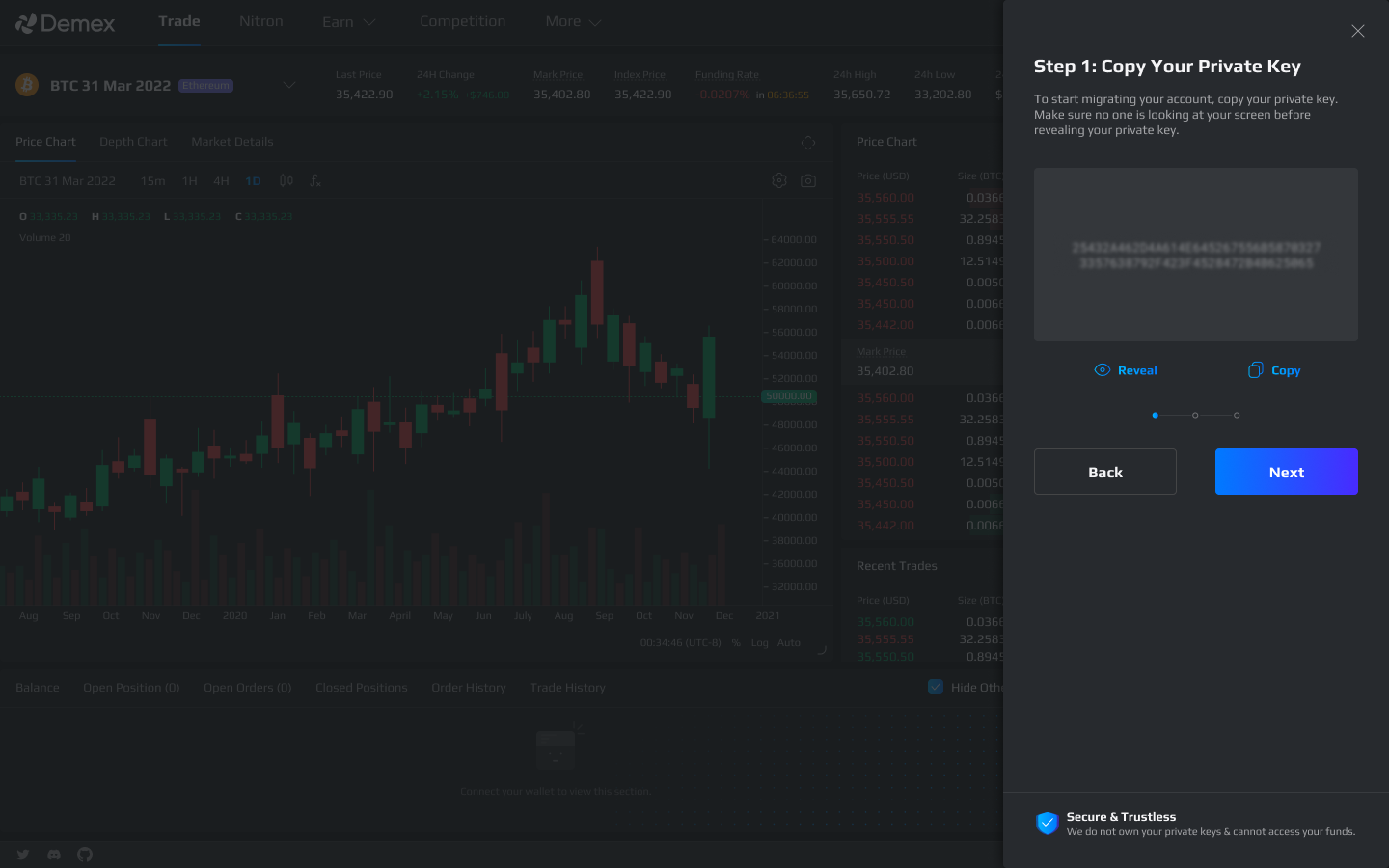
**Step 4**: Copy the private key given, and click on the 'Next' button.
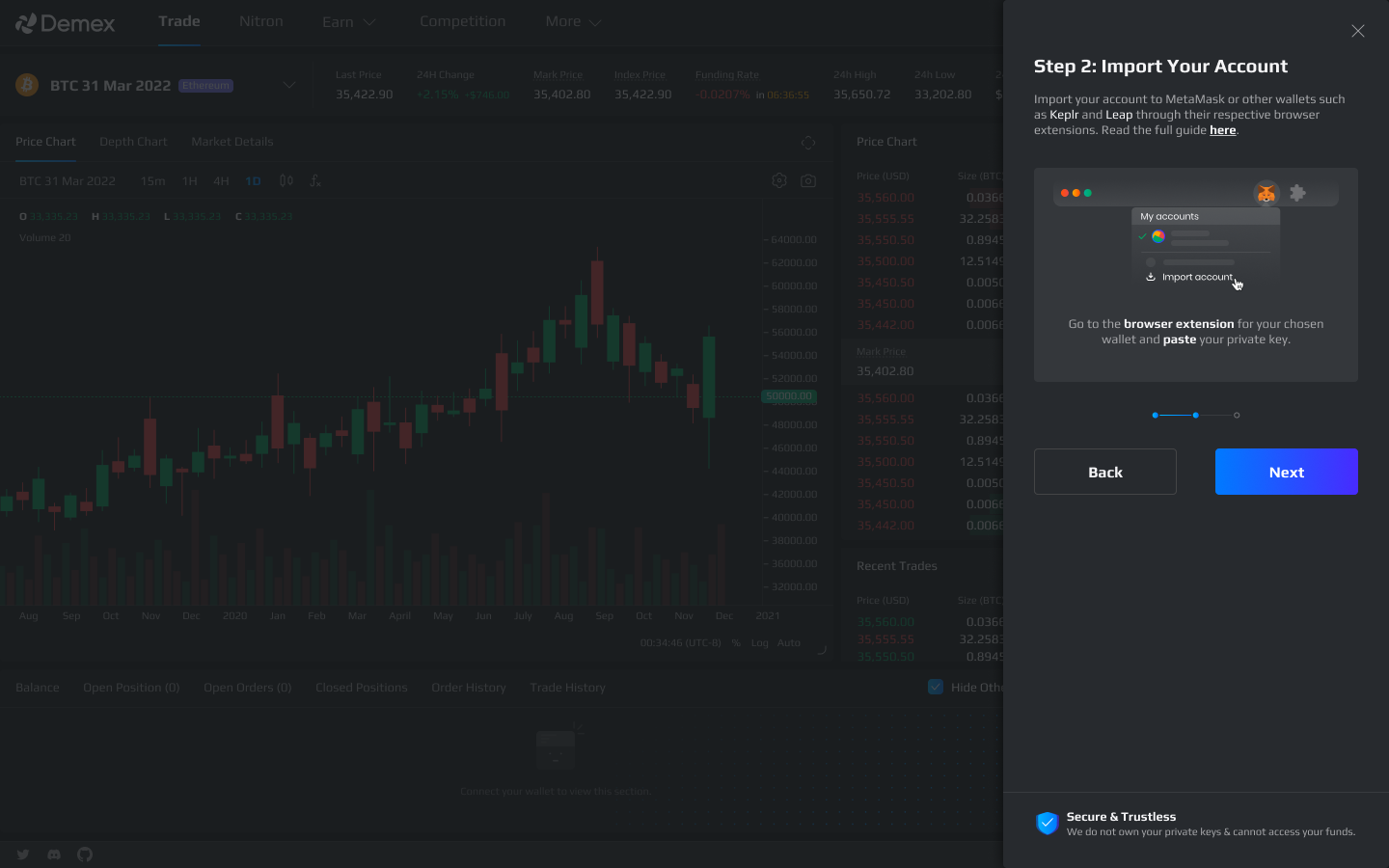
**Step 5**: In order to import your Demex account, you need to go to the MetaMask browser extension and click on 'My Accounts' followed by 'Import Account'. Then, you should paste the private key that you copied in Step 4 into the extension.
Click on the 'Next' button when you have completed the instructions above.
{% hint style="info" %}
You may import your account to Keplr and Leap as well; Click [here](https://guide.dem.exchange/~/changes/REiUq5w3vfdfOKEL0jdy/welcome/getting-started/wallet-connection/keplr/import-legacy-account) and [here](https://guide.dem.exchange/~/changes/REiUq5w3vfdfOKEL0jdy/welcome/getting-started/wallet-connection/leap/import-legacy-account) for the respective user guide.
{% endhint %}
**Step 6**: After successfully importing your account, you need to switch to your newly imported account on MetaMask and then reconnect to Demex to complete the migration process.
Click on the 'Connect' button once you've completed the switch.
{% hint style="success" %}
Congratulations, you have successfully migrated your account!
{% endhint %}
Following a successful migration, you can now [connect to Demex using MetaMask](https://guide.dem.exchange/~/changes/REiUq5w3vfdfOKEL0jdy/welcome/getting-started/wallet-connection/metamask/user-guide/connection). The enhanced integration allows you to link your native balance between Carbon Core and Carbon EVM, enabling seamless navigation between the IBC and Ethereum ecosystems.
**Note**: Once you have funded your account, in order to proceed with your first transaction on Demex, it is necessary to [activate your account](https://guide.dem.exchange/~/changes/REiUq5w3vfdfOKEL0jdy/welcome/getting-started/activate-account). Please note that this activation requirement only applies to first-time transactions.