# Permissionless Token Import
## Overview
On [Demex](https://app.dem.exchange/), anyone can import tokens from supported chains permissionlessly. This gives the community a say in which tokens they want to see listed or removed on the platform.
{% hint style="info" %}
Learn more about Permissionless Listing [here](https://guide.carbon.network/features/permissionless-listing).
{% endhint %}
## Step-by-Step Guide
Adding a new token on Demex is simple. Follow the steps outlined below.
**Step 1:** To get to the 'Import Tokens' feature, go to the [Markets](https://app.dem.exchange/markets) page on Demex and select the 'Import Token' option.
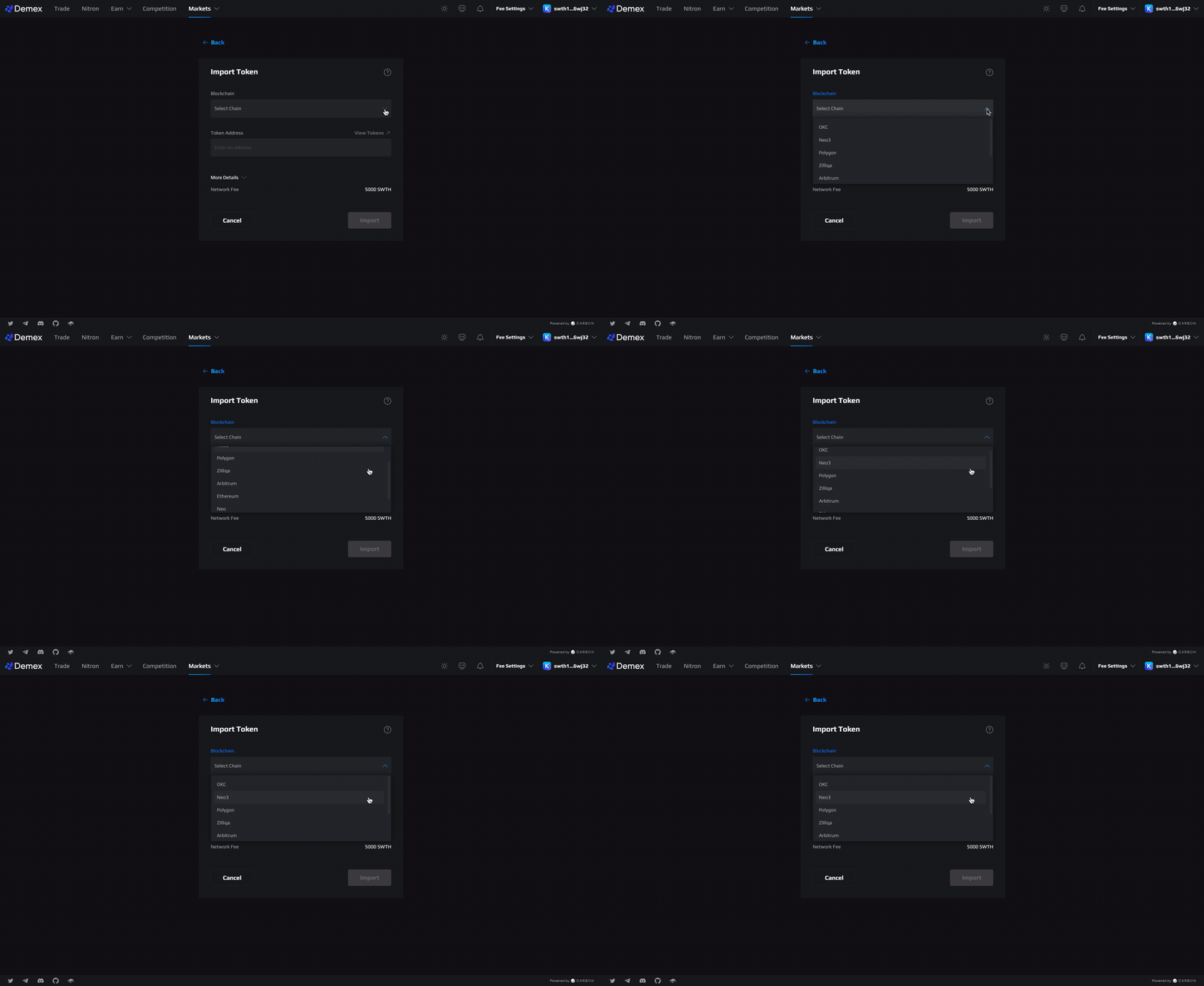
**Step 2:** From the list of available blockchains, choose the one where the token to be imported is located.
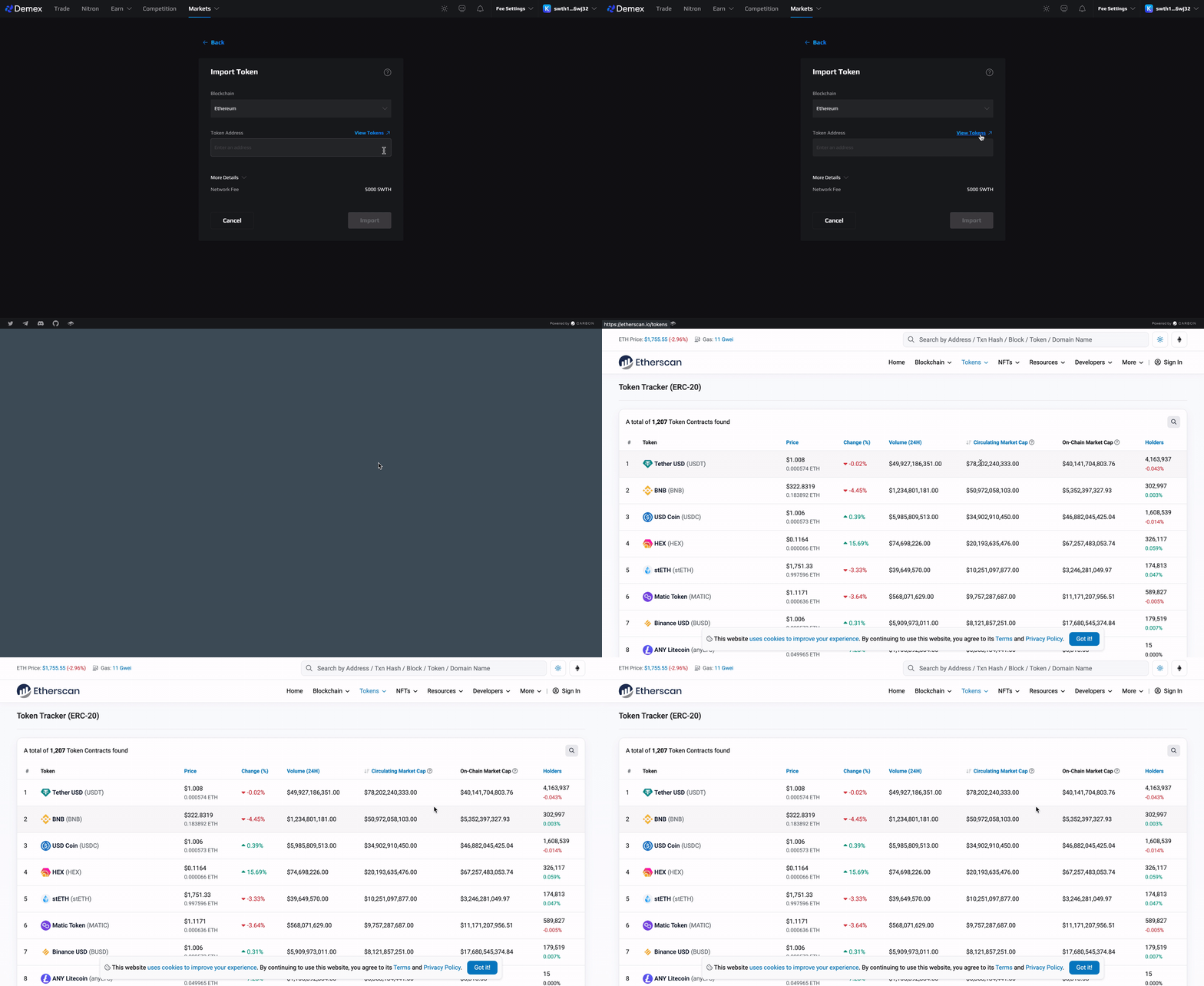
**Step 3:** Once you have chosen a blockchain, you can easily locate the token contract address by selecting the 'View Tokens' button. This will direct you to the block explorer of the blockchain.
**Step 4:** Look for your preferred token on the block explorer of the chosen blockchain, copy the contract address, and enter it in the relevant field.
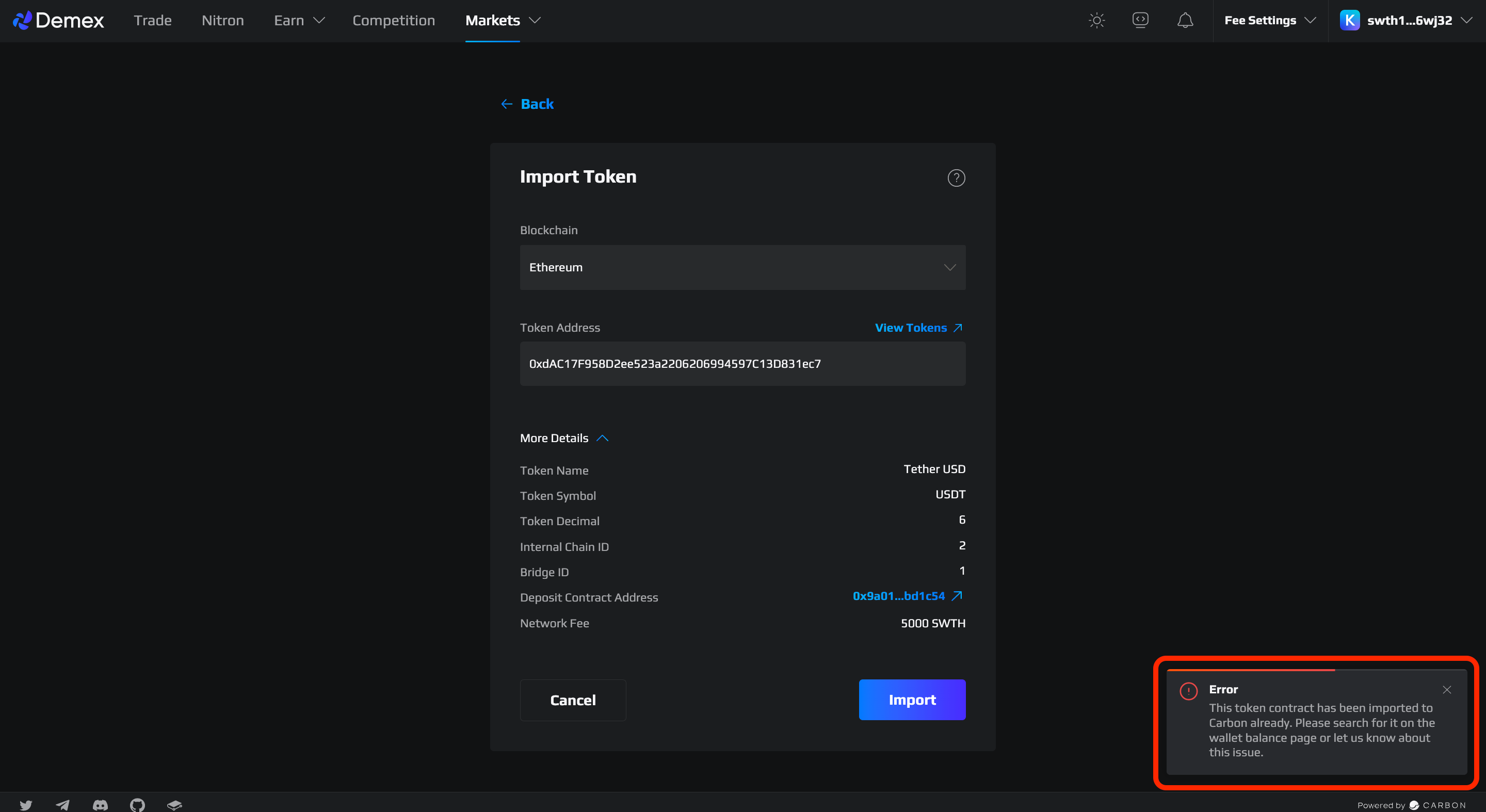
Ensure that the details shown match your desired token information, then click on the "Import" button.
**Step 5**: Token successfully imported!
{% hint style="success" %}
That's it! Your token has been permissionlessly imported. You can now make a deposit using this token and [create a market](https://guide.dem.exchange/~/changes/REiUq5w3vfdfOKEL0jdy/welcome/getting-started/advanced-guides/permissionless-market-creation) for it.
{% endhint %}
## Import Error
It is not possible to import a token that is already available on Demex. Please search for the token on the [Wallet Balance ](https://app.dem.exchange/account/balance)page.