# E-Mode 🔜
E-Mode allows borrowers to extract the highest borrowing power from their collateral. It achieves this by categorizing correlated assets into the same E-Mode category.
This enhances capital efficiency by enabling higher Loan-to-Value (LTV) ratios when both the borrowed and collateral assets belong to the same E-Mode category.
Learn more about E-Mode [here](https://guide.carbon.network/carbon-modules/carbon-core/collateralized-debt-position-cdp-module/high-efficiency-mode-emode).
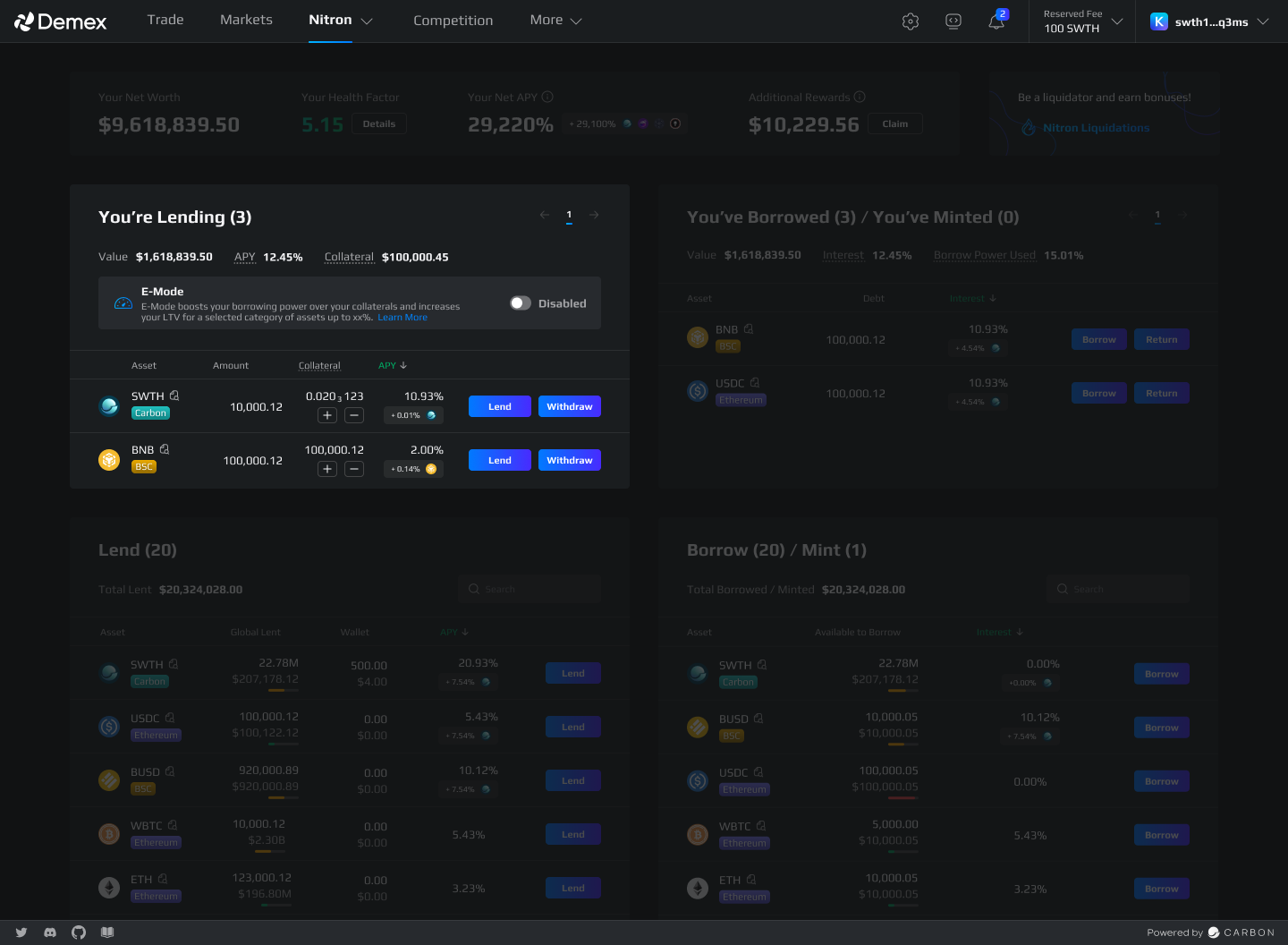
By default, E-Mode is not enabled.
To activate E-Mode, swipe the 'Disabled' option, which will prompt a pop-up to appear.
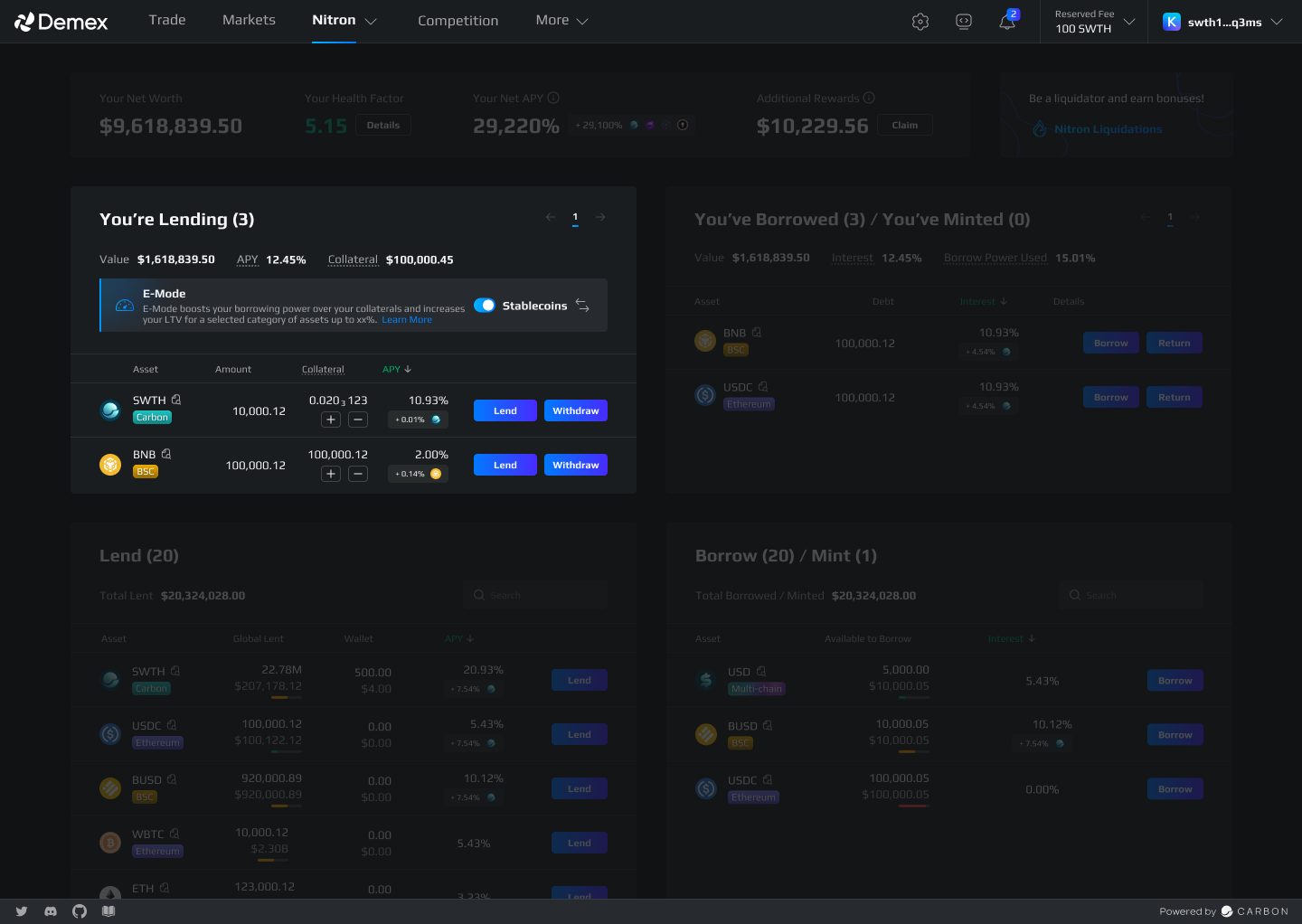
* Select the desired E-Mode category. For example, selecting 'Stablecoins' limits borrowing to only stablecoins.
* Under the selected E-Mode category, you can view the list of assets available for borrowing. For instance, under the 'Stablecoins' E-Mode category, users can borrow USD, USDC, and BUSD.
* The increase in the maximum Loan-to-Value (LTV) will also be reflected.
{% hint style="info" %}
When selecting E-Mode, if a user provides assets of the same category as their collateral, the borrowing power (LTV) and maintenance margin (Liquidation Threshold) will be overridden by the eMode category configuration.
This enables higher capital efficiency and optimizes the utilization of assets within the same category.
{% endhint %}
### Return Borrowed Assets Before Enabling E-Mode
Before enabling E-Mode categories, you need to return any borrowed assets that are not available in the respective E-Mode category. This ensures compliance with the selected category.
## Switch E-Mode Category
* To switch to a different E-Mode category, click on the ⇆ icon.
* Select the desired E-Mode category from the available options.
* The available assets for borrowing and associated maximum LTV will be adjusted according to the new category.
* Confirm your selection by clicking 'Switch'.
### Return Borrowed Assets Before Switching E-Mode Category
In order to switch E-Mode categories, it is necessary to return any borrowed assets that are not available in the current E-Mode category. This ensures compliance with the asset requirements of the selected E-Mode category.
## Disable E-Mode
Disabling E-Mode will result in a health factor below 1, increasing the risk of liquidation.
To disable E-Mode, add more collateral or return borrowed assets to maintain a healthy health factor.
Disabling E-Mode allows you to borrow all assets at their initial set LTV.